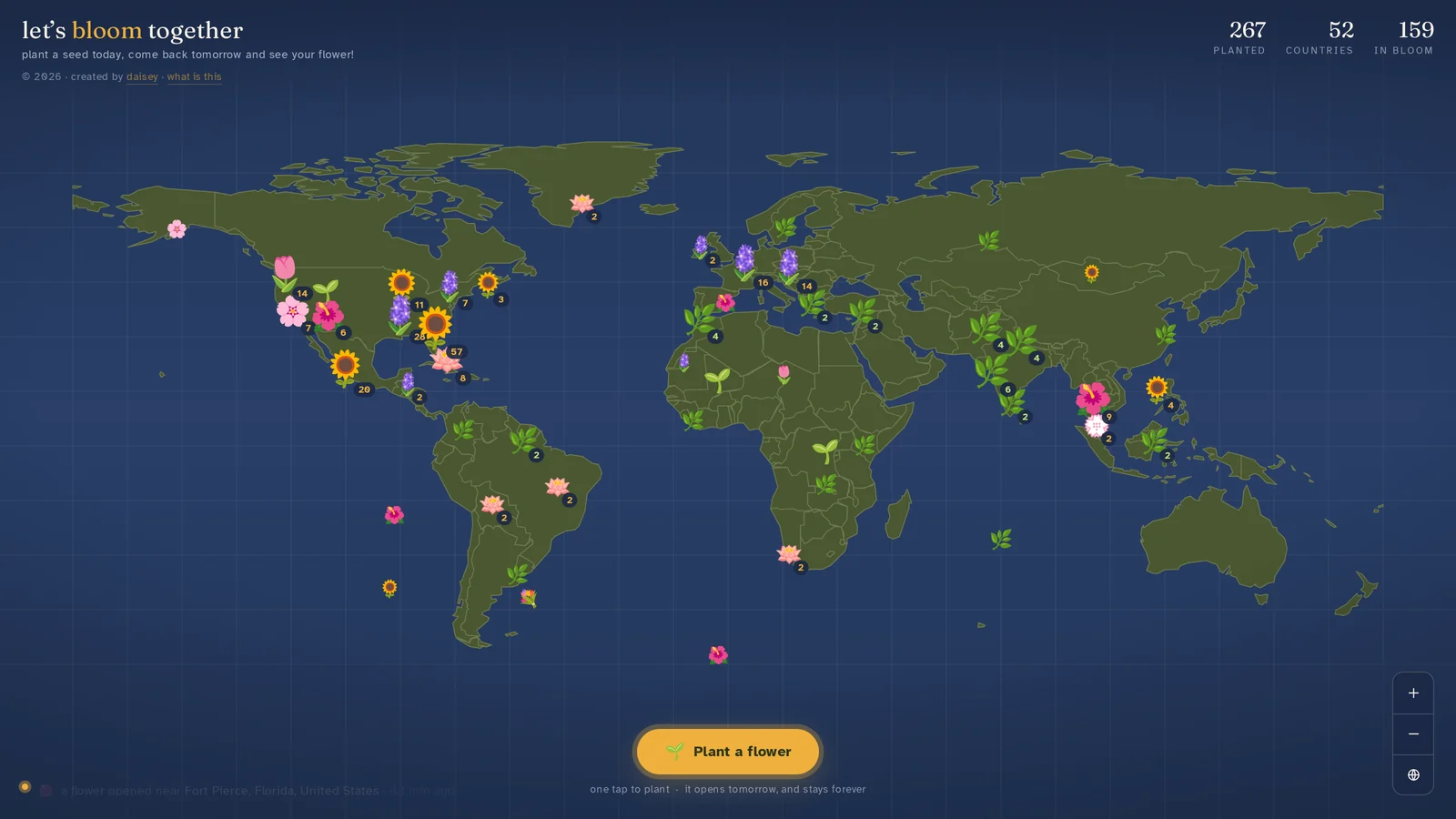
This one you can actually go use. It takes about five seconds, and whatever you plant will still be there tomorrow.
Go plant one ↗Case study // Personal project, no NDA, all mine
let's bloom together is a collaborative world map. You tap one button, pick a flower, and it gets planted where you are. It shows up as a seed. Twenty four hours later it opens into the flower you chose, and it stays there forever. Everyone sees everyone else's, appearing live as they're planted.
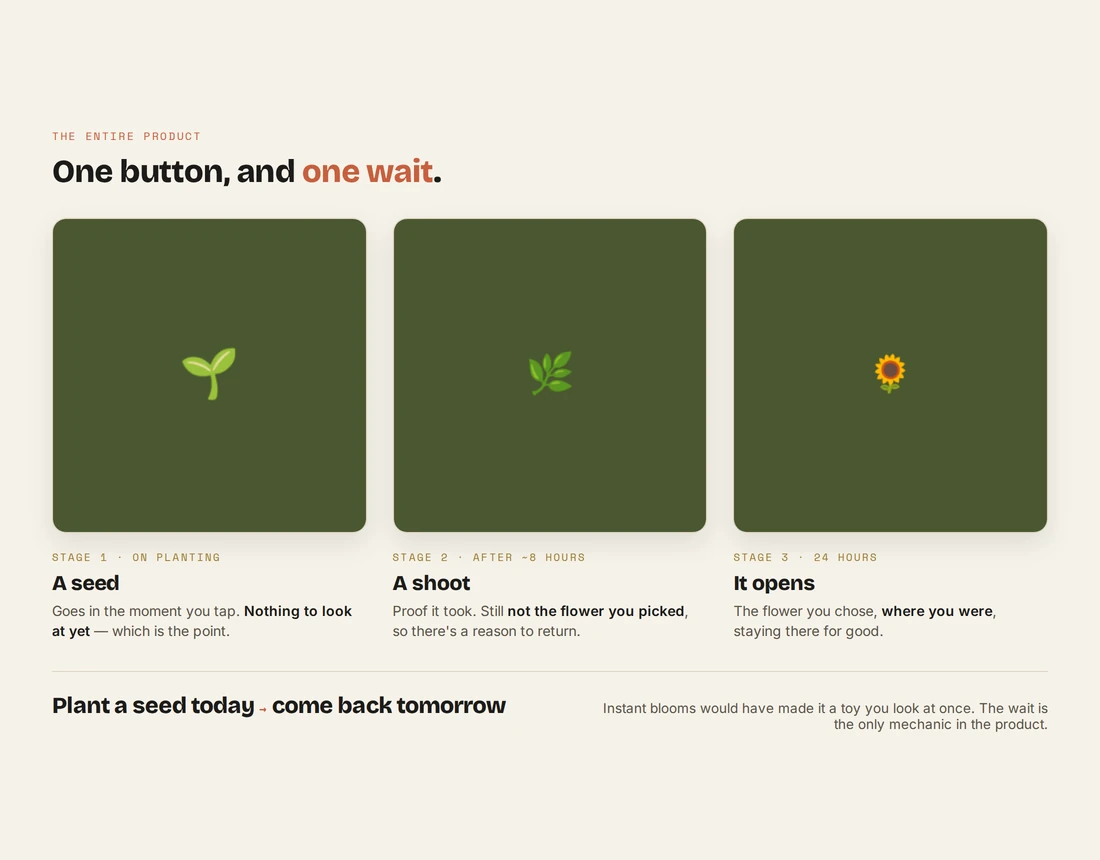
The entire product is one button and one wait.
No account, no login, no form. You tap plant, pick from ten flowers, and it lands at your location as a seedling. It becomes a shoot, and a day later it opens.
That delay is the product. Instant blooms would have made it a toy you look at once. Making people wait a day gives them a reason to come back, and it turns a tap into something closer to an actual small act of care. The tagline says the whole thing out loud: plant a seed today, come back tomorrow and see your flower.
Everything else in the build exists to protect that one moment.
Before I uploaded anything, I asked one question: where are the flowers stored, and if we update this later, do we keep them?
The prototype was saving them into the preview environment's key value store. That API does not exist on a normal web server. If I had uploaded it as it was, the site would have loaded, looked perfect, accepted a flower, and silently saved nothing. Every visitor would have seen an empty map, forever. No error, no crash, no warning. I would have found out weeks later when the garden was still empty.
That question is the difference between a demo and a product, and the only reason it worked is that I asked it before launch instead of after.
The fix, done before I promoted the site anywhere: a Postgres table with row level security, so the front end can never touch the data no matter what changes later. One table, every column constrained, because anonymous strangers are allowed to write to it.
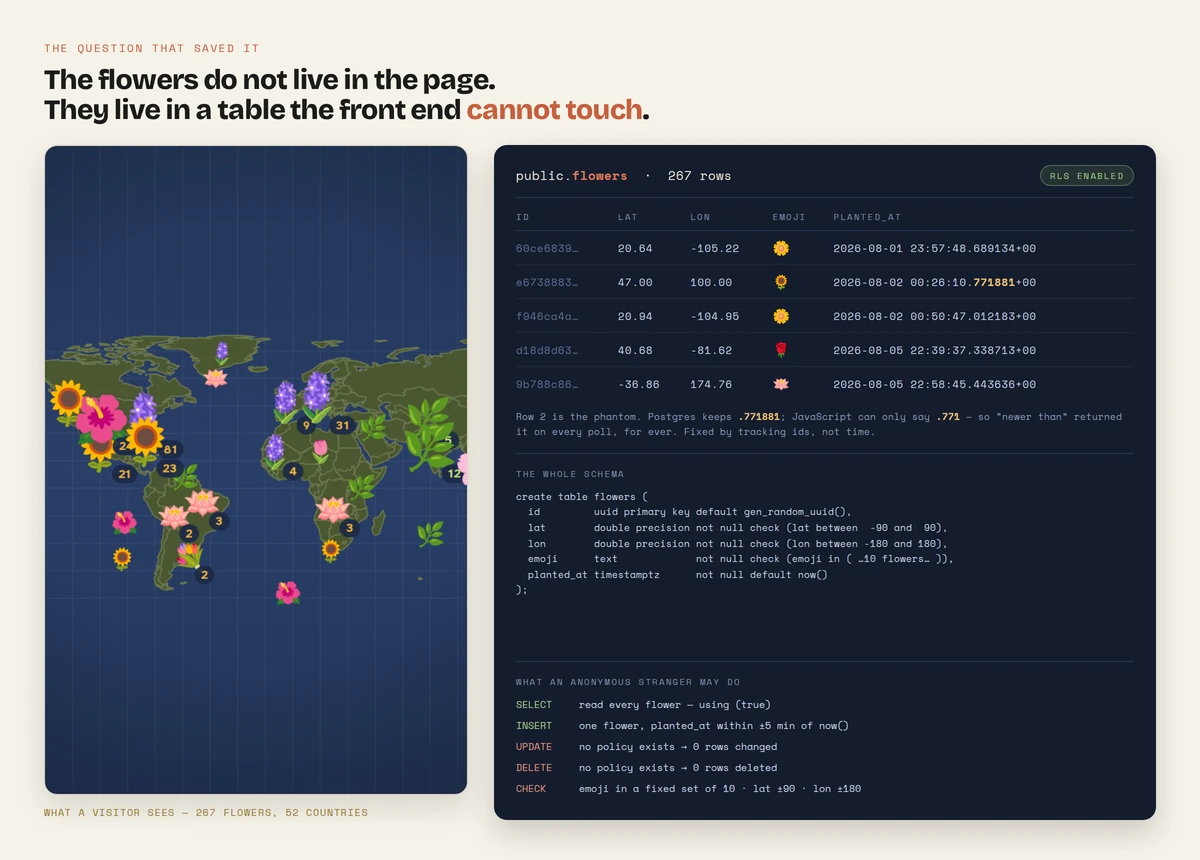
Then I tested it the way a stranger would hit it, not the way an admin does:
| What I tried | What happened |
|---|---|
| Plant a valid flower | Allowed |
Insert a <script> tag as the emoji | Blocked |
| Set the latitude to 999 | Blocked |
| Backdate a flower three years | Blocked |
| Edit someone else's flower | 0 rows changed |
| Delete the whole garden | 0 rows deleted |
The only reason there's a garden at all.
The palette came from a painting I liked, not from a theme. Navy ocean, olive land, ochre for the one button that matters. The first pass had generic dark mode colors and it looked like every other data map on the internet.
Then I asked for the coastlines to be muted down. On a map about flowers, the flowers should be the loudest thing on screen. Country borders are context, not content.
Under that, there's no map library at all. The country shapes are Natural Earth boundaries simplified into a single path embedded straight in the page, drawn on a canvas with a custom projection. No tile server, no API key, no dependency that can go down or start charging.
The first pass simplified each country on its own, so two countries sharing a border each got their own copy of it, the two lines drifted apart, and the gap showed as a sliver of open sea. There were 110 of them. The rebuild uses shared-arc topology: a border is one arc used by two countries, simplified once, so both neighbours draw the identical line and a gap becomes impossible at any tolerance. That took the path from 27 KB to 41 KB and the slivers from 110 to zero, and the build script now refuses to emit geometry with one in it.
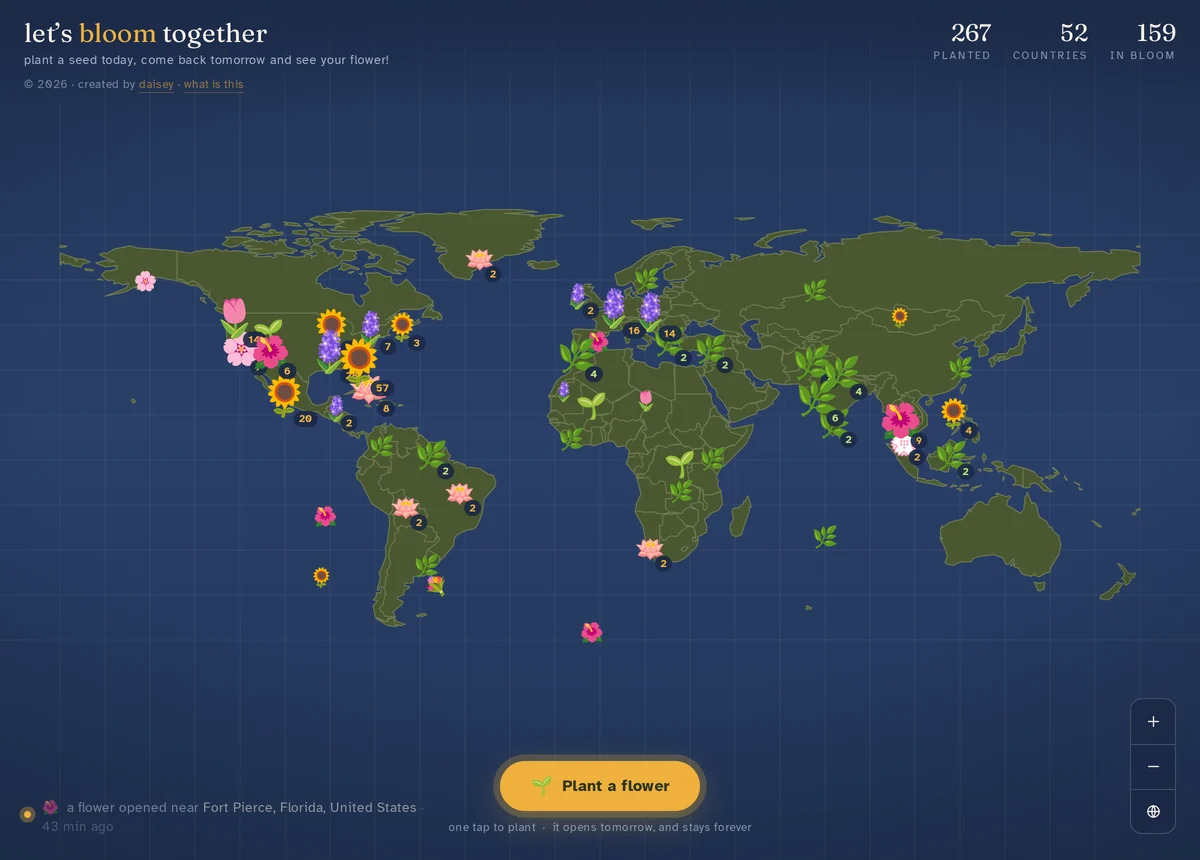
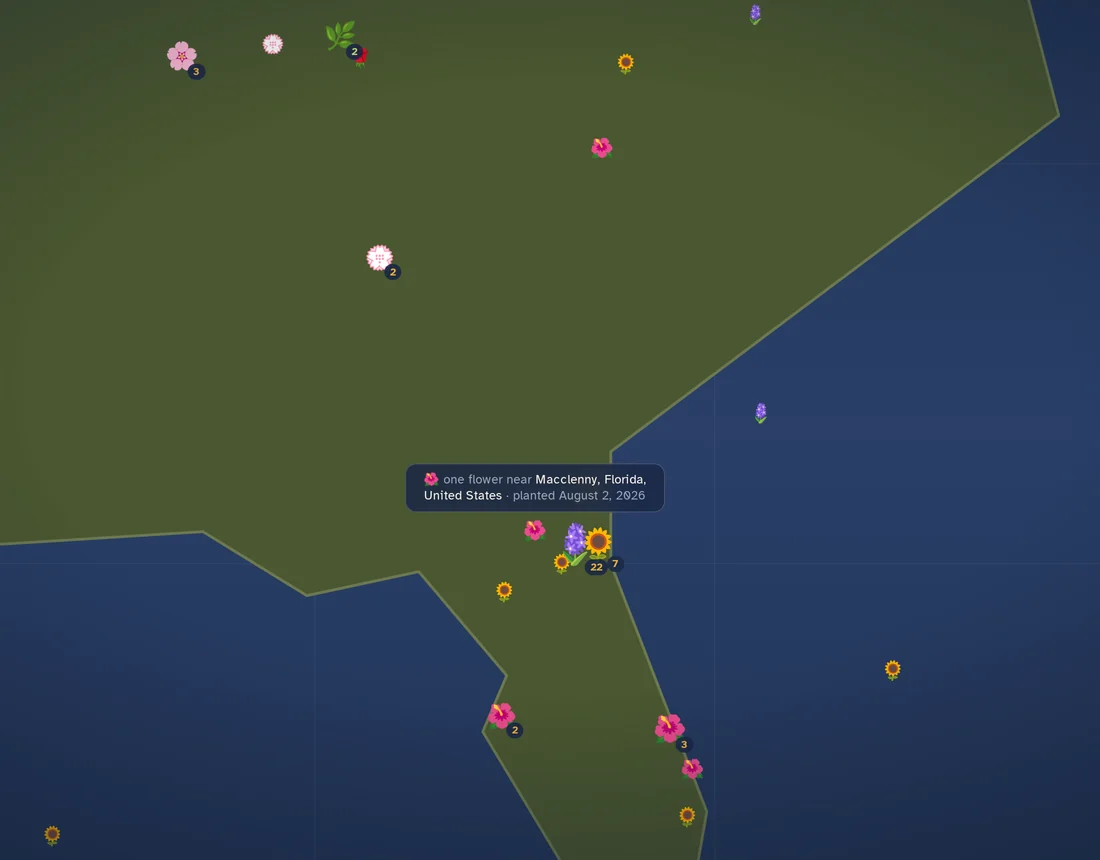
Clustering handles the crowding. At world zoom, a city is one flower with a count badge. Tap it and the map flies in and splits the group apart. Tapping the Jacksonville cluster of 31 drops the biggest visible group to 7 and spreads it across 13 separate points, 8 of them a single flower standing alone.
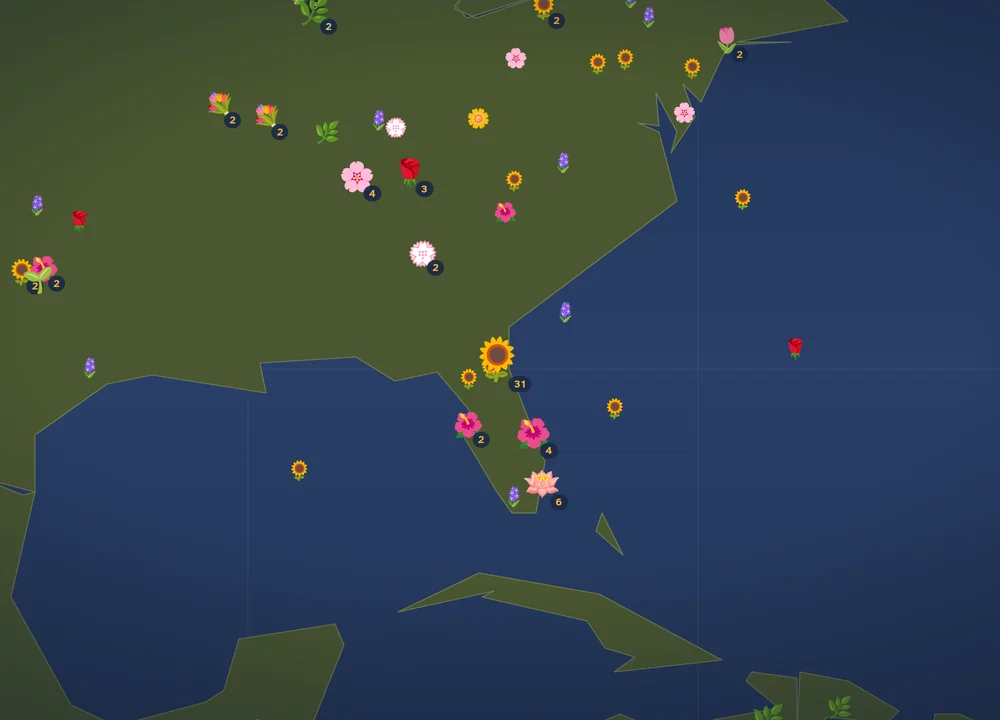
Zoomed out, a whole metro area collapses into one flower and a count. Readable, but you can't see anyone's individual flower.
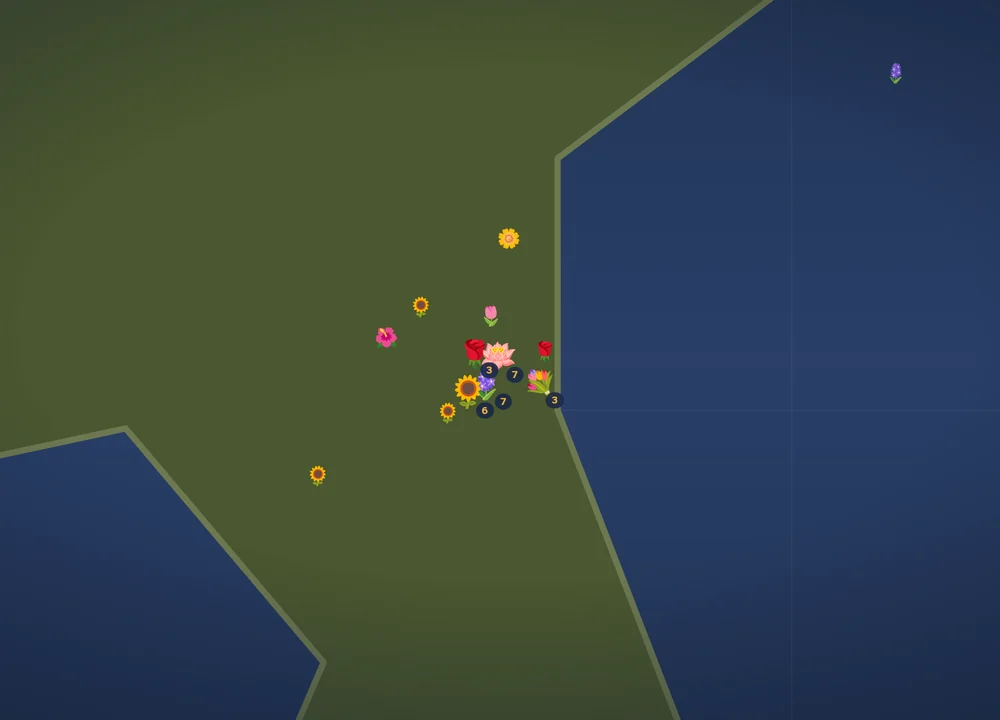
One tap flies the map in and splits the group apart. Those 31 become 13 separate points, 8 of them a single flower, largest remaining group down to 7.
The seedlings were hard to see, so a glow got added behind them. I said it was too much. It got dimmer. Still too much. Dimmer again. Still too much.
On the fourth round I asked to see it with no glow at all.
Zero glow was correct. The glow had been propping up a problem that no longer existed. The real cause was a rendering bug where seedlings were painting in the navy of the ocean gradient on some machines, and once that was fixed, the decoration was pure noise.
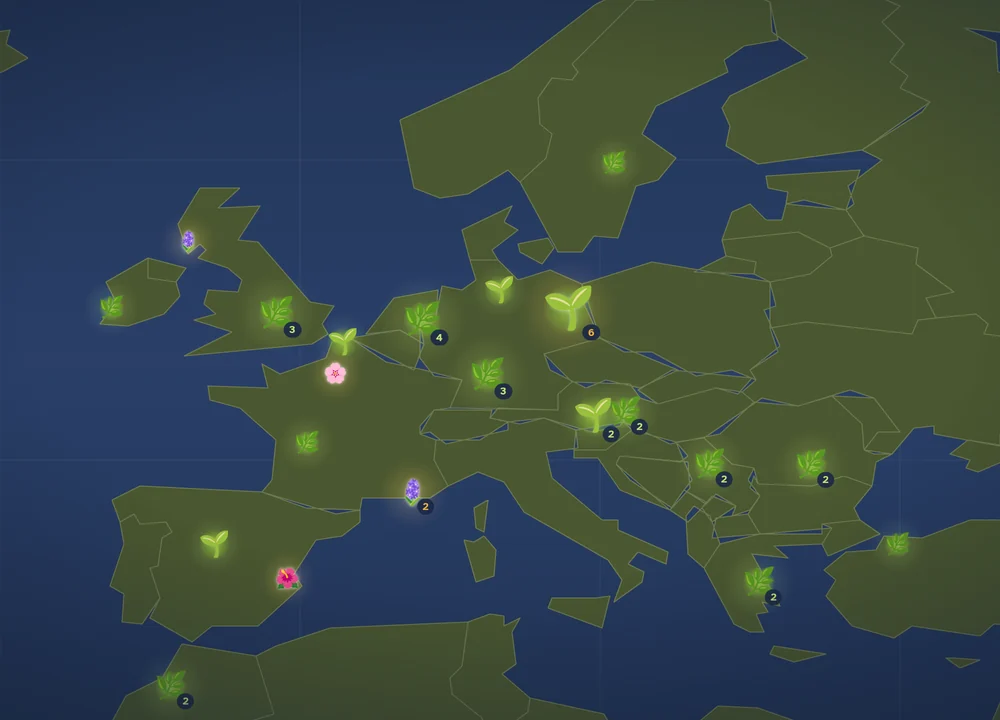
Glow on. The seedlings pull the eye harder than the open flowers do.
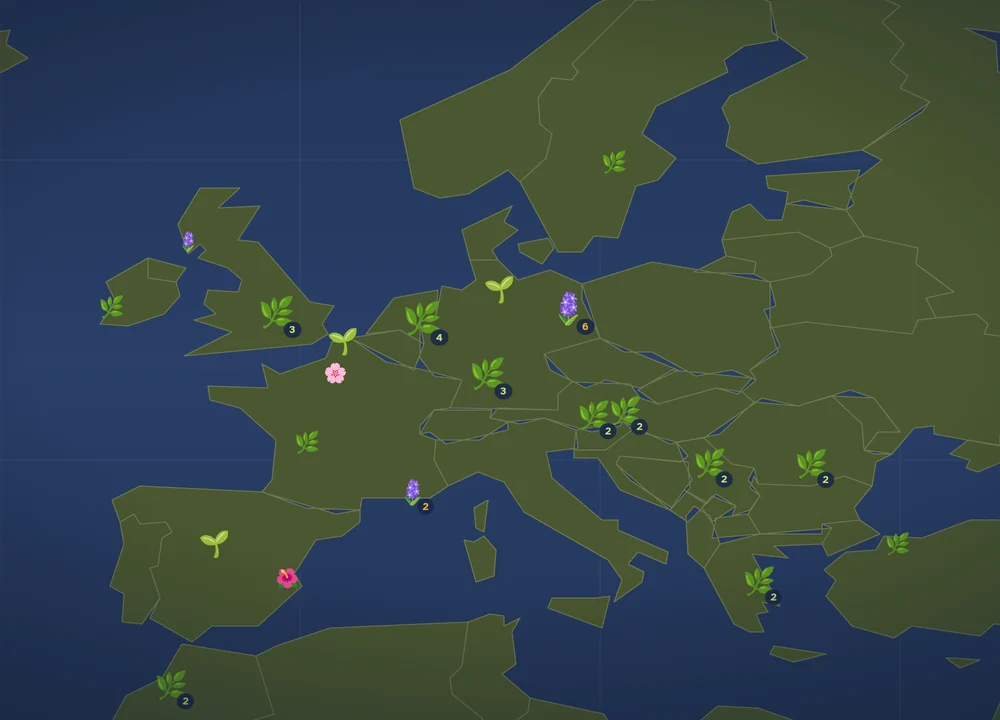
Glow removed entirely. The flowers carry the screen again, which was the point of the whole map.
| Before | After | |
|---|---|---|
| A flower at the moment it opens | +66 | +66 |
| A seedling | +74 | +32 |
The seedlings had been shouting louder than the flowers. The hierarchy was backwards, and the glow was the thing making it backwards.
I keep this one in because the lesson is useful: when a fix needs three rounds of dialing back, it's usually not the right fix. Take it out entirely and see what the problem actually was.
The site names the place each flower was planted. That took three tries.
The accurate version is a 1.39 MB file. Putting it in the page would have blocked the map from appearing for several seconds on a phone, which is fatal for a site whose whole appeal is the map showing up.
So it loads separately, after the map is already on screen. The page went from 422 KB back down to 89 KB, which meant it loaded faster than it had before the feature was added, and place names fill in a second later. I tested it against a deliberately slow server and against the file being missing entirely. In both cases the map draws normally and the sentence just leaves the place name out instead of printing something broken.
| Cities in the file | What a flower in rural Pennsylvania got called | |
|---|---|---|
| v1 | 199 | “Washington”, which was actually D.C., 175 km away |
| v2 | 9,062 | “United States” |
| v3 | 49,025 | “Hollidaysburg, Pennsylvania, United States” |
Two more things worth a line. Country names aren't shipped at all: the file stores two letter codes and the browser expands them, so the names come out correct in any language for zero bytes. And scanning 49,000 cities for every flower would have been unusable, so cities are bucketed into a grid. A lookup takes 2.6 microseconds.
The privacy side is the part I care about most. Coordinates get rounded to about 1.1 km before they ever leave the browser, and no IP address, device ID, or anything identifying is stored at all. That turned out to be genuinely binding: when I went looking for which flowers were mine, I couldn't tell. The design protects me from myself, which is exactly the right answer.
Almost every fix here was verified by measuring something instead of squinting at it.
The seedling color bug was found by sampling the exact pixel color out of a screenshot, #273555, and matching it to one specific value in the code.
The share card had a version of the same problem: it was drawn on an offscreen canvas that doesn't support color emoji on every machine. Measured, it came back with 0% green pixels, one flat tone. The fix was to delete that second renderer entirely and photograph the live map instead, borrowing the real canvas for one frame and handing it back safely so a failure mid capture can't leave someone's map broken.
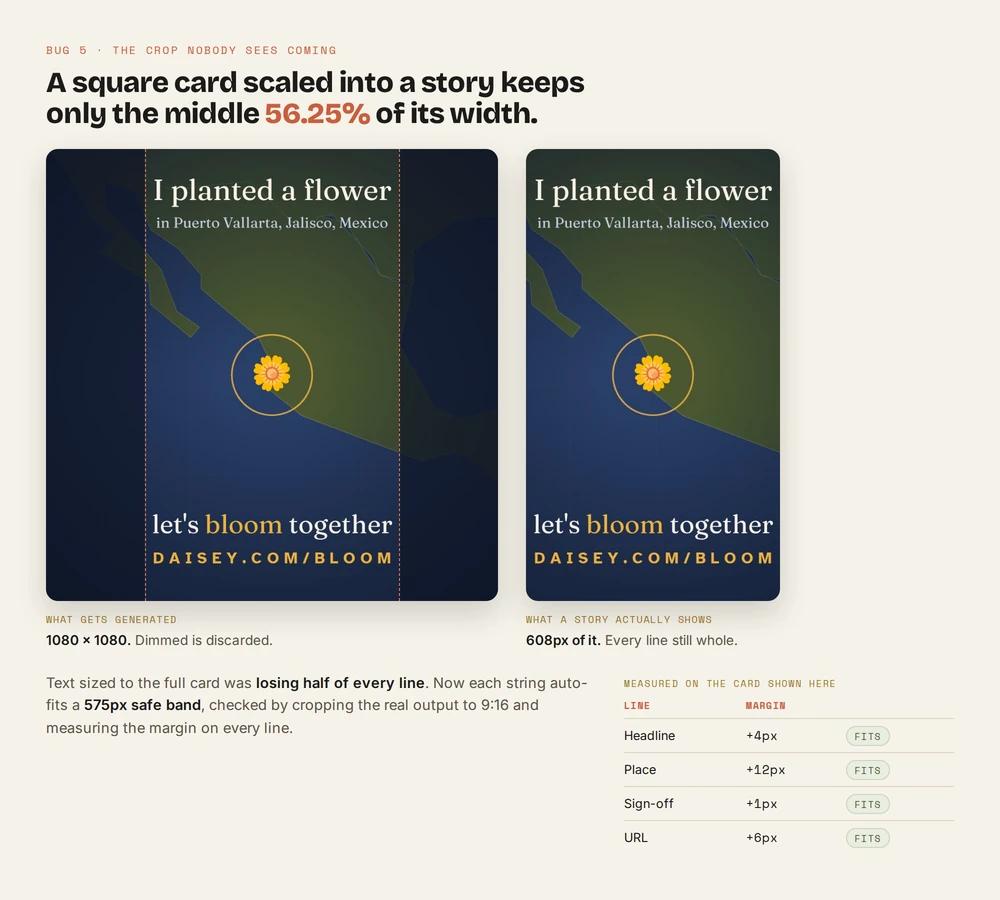
Then Instagram cropped the card's text in half. A square image scaled into a 9:16 story keeps only the middle 56.25% of its width. Now every line of card text auto fits a safe band, verified by actually cropping the output to 9:16 and measuring the margin on each line.
A few more that came out of measuring rather than looking:
Where I couldn't measure something, I left the claim out. The test browser freezes its clock, so several timing numbers simply couldn't be verified, and they're not in here.
This was built with an AI coding assistant, and it wrote most of the code. I want to be straight about that, because the interesting part isn't who typed.
What was mine was every decision:
The tools changed. Knowing what to ask didn't.
Key takeaways
Not after. It's the cheapest question in the project and the most expensive one to skip.
Remove it entirely and find out what the real problem was.
The right call is usually not “cut the feature” or “ship it slow”. It's changing when the weight arrives.
Sample the pixel, crop the image, skew the clock. Looking at it isn't testing it.
Where it landed
The site went live the same night it was sketched. The first flower was a daisy planted in Puerto Vallarta at 23:57 UTC. By the next afternoon there were 59 flowers across 10 countries, all organic, no promotion beyond a couple of shares. One of them is 1,500 km out in the South Atlantic, which the site cheerfully labels “the open sea.”
It's one HTML file, no framework and no build step, running on a real database that anonymous strangers write to safely. It was 89 KB at launch, 33 KB gzipped. It's 174 KB now, 64 KB gzipped, because the goal ladder, the share card and a finer world map all landed after.
Planting is rate limited. The Edge Function throttles by a salted, expiring hash of the caller's address, so a script can't mint flowers faster than a person would plant them, and the site answers a throttled request with “The garden is catching its breath. Try again in a minute.” The honest caveat is that it's built and untested at scale, because at this size it has never had to fire in anger.
It takes five seconds, it's anonymous, and it opens tomorrow. The rest of my case studies are password-protected to respect client confidentiality.
www.daisey.com/bloom